
A chat that runs the work, not just the talk
Teammates, customers, email, Telegram and WhatsApp all arrive in one place — and every message can become a task, a meeting or a file right where you read it.
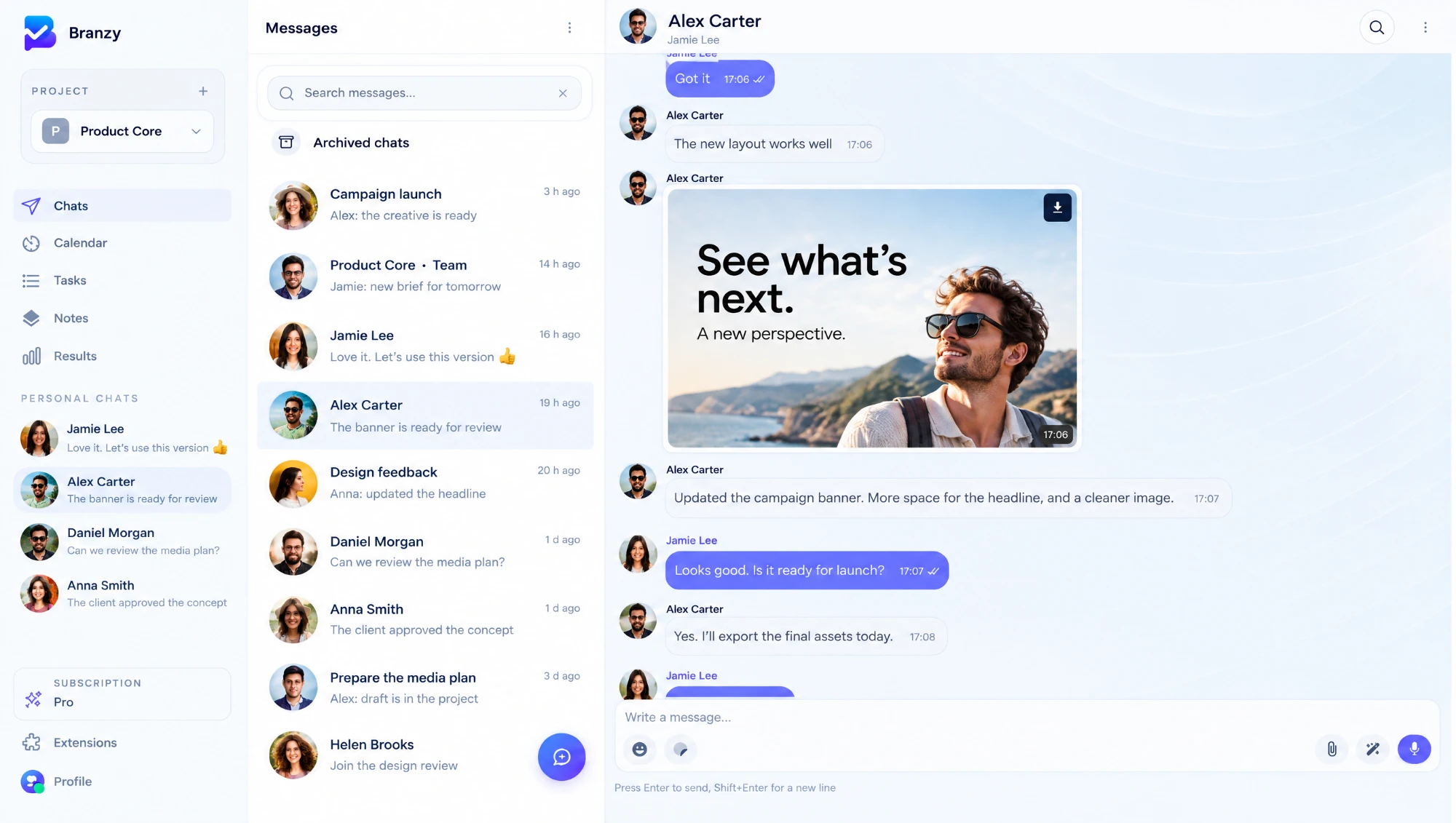
Every event from every channel lands here, and you answer it, or turn it into work, without leaving the conversation.
- 01
One place for every conversation
Create a task and its chat is already there: the people on the task are in it from the first message. Groups work the same way, as an open discussion for the team or a feed where only chosen people post.
- 02
Messages, files, photos, video and voice
Send documents, photos and video, record voice messages, add stickers, reply to a specific message, mention a colleague. Unread counters show what needs you, per chat and per project.
- 03
Personal chats, groups, tasks and meetings
Message a colleague one-to-one, talk in a group, or discuss a task or a meeting in the chat that lives inside it. Every conversation is in the same list, so nothing gets lost between tools.
- 04
Telegram and WhatsApp become Branzy chats
A customer writes in the messenger they already use. The conversation appears in your project chat, your team replies from Branzy, and the reply goes back to the customer. Nobody has to share a personal phone.
- 05
Your Gmail inbox, read and answered in the chat
Connect a mailbox and incoming letters turn into messages. Reply in the chat and the answer goes out as an email, in the same thread.
- 06
Only the mail worth a conversation
Set a permit list and a restrict list of senders, with wildcards like *@client.com. Newsletters and notifications stay in the inbox; real customers and partners reach the chat.
- 07
Create task or meeting
Right in the middle of a conversation, type a slash and pick Task or Meeting. Fill in the title and send it: the card lands in the chat, so everyone sees what was decided.
- 08
Your other tools, one command away
Drop in a link to a file from Google Drive, Yandex Disk or Dropbox. Create a Zoom meeting, a Jira issue or an Asana task from the same message, and watch it appear as a live card.
- 09
The source of every event
A new letter, a customer message, a changed task, a started call: everything happens in one stream. You react to it on the spot, with a reply, a task or a meeting, instead of hopping between five apps.
Also inside
- Channels, groups, direct messages, and a chat inside every task
- Gmail, Telegram and WhatsApp connected to a project chat
- Sender filters for mail: permit and restrict lists with wildcards
- Photos, video, audio, voice messages and documents
- Stickers, replies, mentions and link previews
- Google Drive, Yandex Disk, Dropbox, Zoom, Jira and Asana from the message box
- Unread counters per chat and per project
- Works the same on the web and in the mobile app
It only works because the rest is right here
Every service shares the same projects, the same people, and the same history. Nothing has to be copied from one into another.
Run your business from one app
Start for free and connect the rest of your tools when you need them.
Start for free